Tag Cloud

Showing posts with label guide. Show all posts

Thursday, March 24, 2022

Don't throw out that Xiaomi Powerbank 5000 yet...

If you have a Xiaomi Powerbank 5000 and find that it keeps flashing the full LEDs when charging but when discharging to a device, it instead flashes one LED, then it could be the wire for the temperature sensor has broken off the circuit board.

Open up the powerbank on the non USB port side with a blade and screwdriver then slide it out at the opposite end. You may find that the one or both of the two wires connected from the battery to the circuit board may be disconnected from its solder point. Solder them back then test it. If it works then put it back together.

This video shows where the wires are:


Sunday, January 09, 2022

Getting into Recovery mode for Nexus 5

  1. Hold Power button + Volume DOWN button to boot into the Bootloader
  2. Press any volume buttons until "Recovery" is shown and press the Power button. 
  3. Phone will reboot and show an Android with the exclamation point appearing above the stomach shows with "No Command" below.
  4. While holding the Power button, press once on the Volume UP button and it will go into Recovery mode.

Sunday, May 18, 2014

Get free apps from Amazon Appstore for non-US users

I won't get into the details. Generally other then an Amazon account, you need two key items:

  1. Access to a US VPN.
  2. Amazon One-click set to a US postal address.
You can only purchase through the PC browser then download the apps through the Amazon Appstore app. I have not tried VPN on a mobile device but it may work.

That's really all there is to get free apps from Amazon Appstore. This should also work for Kindle and MP3 store. 

Warning: Try not to use your main Amazon account if the US address is not yours.

Monday, October 17, 2011

Howto add alternative keyboard to rooted Nook Color

We shall install Gingerbread Keyboard for this example. This is especially for those using Manualnooter from xda-developers but should apply to any replacement ROM.
1. Download Gingerbread Keyboard apk.
2. Install File Expert from Android Market.
3. Run ES File Explorer, a free app.
3a. Enable "Root Explorer" and "Mount File System" in Settings.
3b. Copy apk to \data\app (Use copy and paste icons from "Oper" in bottom toolbar)
3c. Copy apk to \system\app (Use copy and paste icons from "Oper" in bottom toolbar)
4. Restart / Off and On Nook Color
5. Run NookColor Tools and Choose Keyboard. The keyboard should be there.
5a. If keyboard doesn't show up, run the keyboard apk from file explorer.

Sunday, March 06, 2011

Download iTunes movie trailers to your PC without Quicktime or iTunes

Update: The site link no longer works. Agent switcher extension for Firefox with useragent for iTunes will work. Refresh the movie trailer page and there should be a download link. If clicking the link does no download, copy the link to a new page to load.


I hate Quicktime and iTunes. Fortunately its possible to download iTune movie trailers without these bloated programs.
Save Apple movie trailers to your PC without Quicktime or iTunes - Rusty Lime
The guide using wget still works. Alternatively an easier method as mentioned in users' comments, use Firefox with agent switcher extension and set to "iTunes 6.5".

Friday, January 23, 2009

Never get lost in Singapore

This is a collection of sites for information to help you get around Singapore such as street maps and public transport info.

SinGeo: Collection of location tools and services for Singapore

Street maps
www.map.gov.sg/: Singapore maps by Singapore Land Authority
streetdb.com
streetdirectory.com
mylifestylemap.com (formerly can.com.sg)

Google Maps Mashups
Skypigeon
Gothere.sg

Public transport
publictransport.sg

Friday, April 04, 2008

Opera Mini on your PC

There's a guide over at Opera community on how to run Opera Mini on your PC.

For those with slow connections this might make surfing the Web a whole new experience.

Imagine you're in a place where you can only connect to a 56k connection (or worse), but you really need to check out some stuff on the Internet... Well, one option is to use Opera Mini on your mobile phone, but it might be a hassle since text input can be a pain (and you're in a hurry), so what do you do?

This is similar to the Opera Mini Simulator on the Opera Mini website except that you run the Java app directly from a program window instead of using the web browser. This allows you to try out the latest Opera Mini 4.1. You can also use it to test out your wehpages formatted for mobile viewing.

Tuesday, January 15, 2008

Singapore Bus Guide for iPhone and iPod touch

Update: Transit is available in modmyifone installer repository and in the installer repository at potty.peeinmypantz.com. (New site seems to be offline for now)

There is now a free Singapore Bus Guide app for iPhone or iPod touch based on the Singapore Bus Guide data.

Transit is an iPhone native application that functions as Singapore Bus Guide. http://code.google.com/p/iphone-transit/

There is also a Singapore MRT guide for iPhone or iPod Touch.

Unfortunately I don't have an iPhone or iPod Touch to test them out.

Check out the app in this blurry and shaky video:

Thursday, January 03, 2008

Using SIM Directory Contacts by default on a Nokia S60 smartphone

Symbian S60 SIM directory screenshotSIMply troublesome

It has been a convenience to store my contacts on the SIM card since this allows me to swap phones without worrying about maintaining consistency of contacts on any make of phone. The way the contact list is stored on the SIM card is standard and any phone is able to access it readily. Having used phones from Motorla, Samsung and Sony Ericsson, I have never encountered any problem with my contacts until I switched to a new Nokia S60 smartphone.

SIM versus Phone contacts

It is good that Nokia have included some basic copy features so you can manage the contacts between the SIM card and phone memory and even backup to the memory card. However they have also deliberately made accessing the phone's memory the default and tucked away the SIM directory access in one of the menus. There is no option to choose whether you want to use the phone or SIM card memory by default; you MUST use phone memory. Nokia probably thinks that forcing us to use the phone's memory to store our contacts is the only way to take advantage of the PIM features of a smartphone which is quite true since it allows more fields to store PIM related data such as addresses, birthday and more phone numbers.

I have searched through a number of Symbian forums and the general consensus is that you cannot run SIM directory as default. There are workarounds which generally requires you to either copy all your contacts over to the phone memory and updating the SIM card's contact list every time you add or delete contacts or go through the menus to reach the SIM directory every time you need to make a call. Other then that, I guess the obvious least troublesome solution is to force yourself to use the phone memory. But there is actually one other way; write a program to load the SIM directory. And that's what I did.

A SIMple solution

Having spent some time playing around with Python for S60, I happened to find out from the developer forums a way to access the Sim directory. The SIM directory is actually a native executable app that can be launched except that there is no icon to load it directly. The code is so trivial and contains only 2 short lines that I am a bit embarrassed to post it here. :P

I have included the SIS which you can install. Python for S60 interpreter is mandatory.

Download Sim Contacts SIS (for S60 3rd Ed)
Download Python for S60 interpreter.
Choose "PythonForS60_1_4_1_3rdEd.SIS" assuming you are using a Symbian S60 3rd Edition phone.

Install both SIS files into your phone memory using PC Suite or other means. After installing, you should see the Sim Contact app in your phone where new apps usually reside. You can then set it to your softbutton or Active standby buttons for quick access.

The drawback to using this is that the SIM directory is only able to perform voice and video calls. There is no direct access to send SMS or messages. This is yet another feature Nokia conveniently omitted.

The storage cost to get this working is quite heavy considering the required Python for S60 package itself is almost one megabyte in size. Somebody with Symbian C++ programming skills would be able to do this more efficiently.

Anyway I hope this app will be useful to somebody.

Friday, October 12, 2007

Hotsync and internet connection with Palm OS device to Linux via Bluetooth

After much persistence, I am finally hotsyncing and surfing the Net on my Zodiac through Ubuntu Linux via bluetooth. The main references I followed are the following:

Howto: Internet on your palm via bluetooth from scratch
bluetooth and Linux
Surf the Web with Bluetooth

These settings worked for me: Run scan for bluetooth:
$ hciconfig
hci0: Type: USB
BD Address: 00:10:60:A7:27:5F ACL MTU: 192:8 SCO MTU: 64:8
UP RUNNING PSCAN ISCAN
RX bytes:41356 acl:533 sco:0 events:1462 errors:0
TX bytes:277041 acl:2258 sco:0 commands:108 errors:0
$ hcitool scan
Create /etc/ppp/peers/dun:
debug
57600
noipdefault
proxyarp
# IP address of PC : IP address to be assigned to Palm
172.31.64.12:172.31.130.67
# My DNS server
ms-dns YOUR_DNS_ADDRESS
ktune
noauth
local
nodefaultroute
noipx

Use ifconfig to check for the IP address currently used. If possible, set it to a static IP. Substitute the IP address of your DNS server for YOUR_DNS_ADDRESS. You can find it out by looking into the file /etc/resolv.conf (look for 'server aaa.bbb.ccc.ddd' and write ms-dns aaa.bbb.ccc.ddd into the above file.)

Run test for connection:

dund --nodetach --listen --persist --msdun call dun
Set the bluetooth device to connect to internet. If test successful, insert line into /etc/default/bluetooth
DUND_OPTIONS="--listen --persist --msdun call dun"

If it connects but there's no data, check that firewall tools like moblock/blockcontrol are not blocking it. Disable to confirm.

J-pilot is a good replacement for Palm Desktop on Linux. Pilot-link is one solid program for transferring files between the Palm and PC though it needs to run from the terminal. Now its really good riddance to Windows. There's one minor quirk on my Zod though -- I need to get it connected to the network before I can hotsync or else it will crash.

Sunday, August 19, 2007

How to install Java midlets on Samsung phone

I just got a Samsung D830 and was wondering why I could not install Java midlets. Its great that Howard Forums has the answer.

From Howard Forums:

1) Type in the code *#9998*52824678255# (which reads *#9998*JAVAINSTALL# )
2) Your phone should return with 'Activated'
3) Now using Bluetooth or USB cable, connect to your phone (IR probably works too)
4) If you have a game as .jar, but don't have a .jad file, use JadMaker to create one (draw the .jar file to it and it will generate a .jad file for you).
5) Copy the .jar AND .jad file of the game into the map called "Other Documents" on your phone.
6) Now on your phone under 'My Files' browse to the 'Other Documents' map and doubleclick on the just copied .jad file.
7) The phone will ask you if you want to Install the game.
8) After Install you will find the game under Games on your phone.
9) You can now remove the just copied .jar and .jad file again (they were only there to install the game onto your phone).

PS: If it doesn't work on your Samsung phone even if its same as mine, either you did it wrongly or its telco locked. All I know is it worked on mine and a few others

Thursday, February 22, 2007

Let Google make your website mobile-friendly

I suppose this is old news but I found an entry over at PalmAddict where a Palm user had an app called Moxy which is a proxy launcher based on Google's mobile to access the web on his Treo 680. Intrigued, I decided to check it out. One link led to another and I found out you don't even need this app. The Moxy site even has its web version.

The URL is http://www.google.com/gwt/n and bookmark the page since its not a straighforward URL. The page loads a form with a space for your URL to load, a checkbox option to omit images and of course a "Go" submit button. It will then load a mobile-friendly version of your website and all the links on the page are appended with the proxy redirects. Actually it does exactly what Skweezer does but I prefer the Google's no-frills start page.

Sunday, July 02, 2006

Singapore Bus Guide in HTML

UPDATE: This is now a placeholder page, please redirect to Bus Guide for Isilo and Plucker for all updates. Thanks!

Following the popularity of the Bus Guide for Isilo and Plucker, there were some requests to support other formats. It is not practical for me to convert for every format so I have decided to provide the HTML files used to convert for the Isilo format.

Disclaimer: The data for Singapore Bus Guide is presented as-is. The author does not warrant the accuracy of the data provided or any failure resulting from its use. Use at your own risk.

Download Singapore Bus Guide for HTML

You may use it on any reader that supports HTML or convert to any other format you desire. The HTML will be updated according to when the isilo and pluckers versions are updated, usually on a quarterly basis. You may refer to Bus Guide for Isilo and Plucker page to find out about all future revision information.

Friday, June 30, 2006

My Sitescooper Guide

I have republished my old Sitescooper guide on Google Pages for those interested in Sitescooper. For those who don't know what is Sitecooper, here is a quick blurb.

Sitescooper automatically retrieves the stories from several news websites, trims off extraneous HTML, and converts them into formats you can read on your Palm computing device for later reading on-the-move. It maintains a cache, and will avoid stories you've already read. It can handle 1-page sites, 1-page with diffing, 2-level and 3-level sites, and it's very easy to add a new site to its list. -- Sitescooper.org

I have done some minor editing to update it to meet current software changes for Plucker and Isilo.

Sitescooper Guide

Monday, June 05, 2006

Converting your videos for the PDA

There are presently quite a number of good and free programs that allow you to convert your DVD or videos into suitable formats for your PDA. These should get you started in a jiffy.

Video converters:
SUPER
Vemode

Video conversion tutorials:
How to Encode High Quality Video to Play on a Palm Handheld
Videohelp Tutorials

Generally you would convert to DivX or Xvid video format since these are easily supported in your player app like TCPMP and offer good compression and quality.

Friday, February 24, 2006

Showtimes script for Singapore Cinemas

This is a perl script to grab movie schedules and info for use with the Showtimes application for Palm OS. This has been modified to handle the new Yahoo! Movies layout.

Download the latest sgyahoo perl script now.

Installation

You may follow the install instructions for Showtimes found here.

Configuration

Use the following URLs for this script when setting up Showtimes in Hotsync Manager:

Today's info - http://sg.movies.yahoo.com/showtimes
Tomorrow - http://sg.movies.yahoo.com/showtimes?d=1
The day after - http://sg.movies.yahoo.com/showtimes?d=2

Use all 3 urls for all three days' data.

Movie Info & Plots

This has been enabled by default. To disable plots, open sgyahoo.pm with notepad or any ASCII text editor and change "my $mplot = 0"; to "my $mplot = 1"; then save the file (ignore all quotes). Note that plots will take a longer time to complete.

Open getdata.cfg in Showtimes folder and check that the line "EXTRAMOVIEINFO 1" is present. If its "EXTRAMOVIEINFO 0", change to 1. (Ignore all quotes)

Copy errors after running getdata.exe

The Showtimes hotsync conduit may have problems with latest versions of the Palm Hotsync Manager in Palm Desktop. The common issue is failure to copy to the install folder. In such a case, you will need to perform it manually or follow the directions found here.

You will need to disable the showtimes conduit from within hotsync manager (note to check the default box) and do the following changes to the getdata.cfg:

1. Change "flipreg 1" to "flipreg 0"
2. Change "DESTDIR" following the instructions there, ie. "DESTDIR c:\palm\[your username]\install"
3. Use your Windows task scheduler or startup batch to autorun the program.

Monday, December 26, 2005

Singapore Parking Info on your Palm

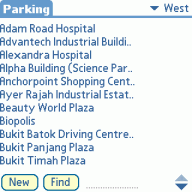
Parking List on List app

The following parking database contains car park rates for most of the major buildings in Singapore. It can be used as a quick reference prior to plunging your car [and wallet] into the devastating fate of exorbitant parking charges.

Don't blow a hole in your wallet like this driver. Abstract from SPUG:

I went to one of those underground carparks where the charges are not displayed at the entrance but right at the gantry. When I reached the gantry and read the charges, I found it to be rather exorbitant($5/entry) and decided that I will not park inside. As there were already other vehicles behind (and even if there weren't, I don't think I am capable to reverse drive 10~20m along several bends), I decided that I shall just go in and drive-out. Surely I will be out within the grace period and will therefore not incur any charges. Well that u-turn in the carpark which took me around 1 min cost me $5.

Parking List files
Download List app for Palm OS, and
Download Parking PDB for List (includes CSV used to create .pdb)

Install the .prc and .pdb files according to standard Palm installation procedures. All files are provided by the respective owners and are FREE.

Why List app?

Its a simple and free Palm OS database app which has a built-in search feature. I find that it suits this parking data well instead of building an app specifically for it. It supports multiple databases so the user is not limited to using only the parking rates database and can create other databases if desired.

Why not use [fill in your favourite app]?

You can use any app you desire since the CSV text file for the data is included. The CSV data is the raw data used to create the database for the List app so there should not be any difference when you view the data for your own app. The List app merely provides a way to arrange and present the data for easier access.

For non Palm OS device users:

The CSV (comma separated value) text file is included in the ZIP file with the List PDB file. You can view and edit the CSV in spreadsheet software such as Microsoft Office Excel and OpenOffice Calc or any text editor. Some minor editing may be required as it was created specifically for the List app.

For Treo users:

Some Treo users may experience auto-resets when using the latest version of List app. It is recommended that you use an older version, preferably 1.01, if you encounter such a problem. If the problem persists, it is recommended that you stop using List app. You can recompile the included CSV into other formats supported by other Palm apps.

Disclaimer

Every reasonable care was taken to reproduce the data, however the accuracy of the database to the actual parking rates may be questionable. Hence there is no warranty for its use and all users should use at their own risk.

Revisions

24 June 2010: Data updated. 697 entries.
23 December 2008: Data updated. 655 entries.
6 July 2008: Data updated. 619 entries.
10 March 2008: Data updated. 537 entries.
2 December 2007: Data updated. 501 entries.
9 July 2007: Data updated. 461 entries.
21 July 2006: Data updated

Wednesday, April 20, 2005

Singapore CableTV Schedules

I have made a page which self-updates with direct links to the Starhub CableTV channels for quick access. All links point direct to the respective programme schedules on Starhub's website so nothing is stored on server. This was initially created to provide easy access to pages for offline viewing on PDAs. It may also be used to quickly access all relevant channels which the user has subscribed to.

You may access the links with this if you only need the basic package channels. You may access the additional channels here. The numbers (ie. 1234567) at the end of the URL denote the additional channels and you may omit the channels you do not require, ie. 123 or 3567 or 357 etc. Play around with the numbers and it should be obvious to you. You are advised to select the channels you need to reduce the time for retrieving them.

There are also parameter options that include showing schedules for 2 days and a week by appending &period=2days or &period=wk at the end. See the following:

Schedules for 2 days

Schedules for the week

NOTE: Please be gentle with Starhub's server by not downloading all channels for the entire week if you are using for an offline reader. Limit yourself to a 2 days option since the more channels means a longer time to download.

Do leave comments and feedback with the "Post comment" with this blog entry if you notice any updates or errors not reflected in the channel schedules.

Tuesday, February 15, 2005

Convert Graffiti 2 to Graffiti 1 on Palm device

Background

Ever since Xerox's lawsuit against PalmSource over its Unistrokes patent, PalmSource has replaced good old Graffiti with Graffiti 2 which is based on CIC's Jot input method. Although Graffiti 2 works close towards natural handwriting, majority of veteran users of Palm devices find Graffiti 2 to be less efficient and prefer to stick with original Graffiti which they have grown to love over the years.

This fix is only a temporary measure to prolong Graffiti use on existing devices and is not expected to be available for the next generation Palm OS (version 6 or officially called "Cobalt"). PalmSource will never is unlikely to revert to the original Graffiti and it would be best to re-train to use Graffiti 2 or get a third party software like TealScript or get a device with a thumbboard. In the extreme case if you choose to, get a PPC instead since Graffiti method of entry is available on it.

DISCLAIMER: This is a non-official modification and its use is at your sole discretion.

This is a Graffiti 1 conversion for Palm Zire 71, Tungsten C and Tungsten E/T2/T3 users. The files were taken from the Tungsten T.

DOWNLOAD HERE

For those with more recent Palm PDA like LifeDrive and TX, you may need to use this version:

Igor's modified Graffiti 1 Libraries - G14OS54.zip

Procedure to install:

1. Beam or copy the 2 database .pdb files (Graffiti_Library.pdb & Graffiti_Library_enUS.pdb) to the target handheld you want to install original Graffiti on. You should copy to the SD or MMC card first, then use normal copy to transfer over to your Palm. DO NOT HOTSYNC DIRECT TO THE PALM'S RAM.

Additional step for Tapwave Zodiac users:

1a. Using Filez on the Zodiac, look at the Details of 'Graffiti Library' and change the VersionID: to a value greater than 524 and Save.

2. Perform a soft reset (simply press the device's reset hole on the back), and you're set to start enjoying original Graffiti again.

Why this works: The OS loads RAM as first priority if files of the same name exist in both RAM and ROM.

Procedure to uninstall without a hard reset.

1. In FileZ, go to the Details form for each database(Graffiti_Library.pdb & Graffiti_Library_enUS.pdb). Change both the name and creator code of the two databases.

2. Soft reset your device.

3. Return to Filez again and delete the two databases.

Why this works: Palm OS does not allow the files currently utilised by the system to be deleted however it will allow changes to attributes or info. After a soft reset, the system will be unable to load the modified database files so it will instead use the ones within the ROM.

MiddleCaps Hack replacement

For those who are used to MiddleCaps Hack for uppercase entry by writing across the boundary between the alpha/non-alpha region of the silkscreen, the solution is to install the freeware called CrossingOver.

Singapore Bus Guide for Isilo & Plucker

Singapore Bus Guide on Palm screenshots

This is a simple unofficial electronic version of the Singapore bus guide for access on mobile devices supporting Isilo reader or Plucker. Both reader file formats are available in either PPC/WinMob and Palm OS Devices. Isilo is also available for Symbian S60 3rd edition devices (Isilo for Symbian S60 3rd Edition).

The bus guide has the full listings by bus numbers and road names for both SBSTransit and SMRT bus services. It also lists bus services at specific bus stops plying specific roads to allow easy cross-referencing when planning bus transfers.

Disclaimer: The data for Singapore Bus Guide is presented as-is. The author does not warrant the accuracy of the data provided or any failure resulting from its use. Use at your own risk.

The files are offered free-of-charge for personal use. Please feel free to share and pass it around.

Download the Singapore Bus Guide for Isilo or Plucker.

You will require the respective etext readers depending on the version you download. Follow instructions as per your device's OS for transferring programs and databases.

You may download the respective programs from the following sites.

Isilo format: Isilo reader, for both PPC/WinMob and Palm OS Devices. Non-free software.
Isilo for Symbian S60 3rd Edition. Non-free software.
Plucker format: Plucker, for Palm OS. GPL Free software.
For PPC Windows Mobile users, use Vade Mecum. Free software.

Tips for Palm OS users

For Palm OS users, you may pair it off with the Bus Guide for Palm. This Bus Guide app allows you to find the connecting buses based on your origin and destination point. Do note that this program has not been updated for a long time so it may not give correct results. However it can roughly help you to plan the general route you can take to you reach your destination especially for unfamiliar locations.


Singapore Bus Guide in HTML format

This version is specifically catered for 'the rest of us' who do not use Palm or Windows Mobile devices but have devices such as Symbian OS phones with web browsers that have the ability to read HTML files. It also provides a means for users to easily convert it to other file formats.

For Symbian S60 OS users

To use the HTML files, copy all the files in a folder on your phone memory or memory card. Use the file manager to locate the folder and execute busguideindex.html. It should launch the browser with the bus guide main page. Bookmark the current page so you can easily access it via the web browser. Alternatively, you can manually create the bookmark in the S60 web browser using the address "E:/yourfolder/busguideindex.html"(omit quotes) where yourfolder is the name of the folder where the files are placed.

Download the HTML version here.
Other useful stuff

For the MRT guide, refer to this excellent app called MetrO.

If you have any feedback or comments, click here.

Credits: Thanks to Ethan Tan, the developer of Bus Guide for Palm, for developing the original parser.


Changelog

Update (2 May 2010): General bus service updates. (354 buses, 781 roads, 5619 stops).

Update (8 June 2009): General bus service updates. (355 buses, 774 roads, 5610 stops).

Important note: There is currently no identifier for Premium flat fare services however it can be located for services with "0.0" for all fare stages.

Update (17 July 2008): General bus service updates. (360 buses, 771 roads, 5608 stops). Removed debugging comments from HTML code(road lists).

Update (4 November 2007): General bus service updates. (327 buses, 763 roads, 5555 stops).

Update (17 July 2007): General bus service updates. (325 buses, 769 roads, 5539 stops). Fixed broken StopID code caused by new fare calculation column. Removed debugging comments from HTML code(bus lists).

Update (16 May 2007): General bus service updates. (310 buses, 770 roads, 5573 stops)

Update (23 March 2007): General bus service updates. (317 buses, 767 roads, 5589 stops). Fixed missing road name for first bus stop in direction 2.

Update (29 January 2007): General bus service updates. (316 buses, 766 roads, 5610 stops)

Update (20 July 2006): General bus service updates.

Update (27 March 2006): General bus service updates. Tidied up data in road index. Removed bookmarks for Isilo, found to be redundant.

Update (16 December 2005): General bus service updates

Update (14 November 2005): Minor update for Plucker version. Added link to jump between route directions.

Update (26 October 2005): General bus service updates

Update (20 August 2005): General bus service updates

Update (28 March 2005): General bus service updates and correction of certain errors caused by poor code during compiling.

Update (11 March 2005): General bus service updates

Update (22 October 2004): High-res font support for Isilo(for supported devices). More detailed cross referencing by bus stops instead of roads. Separated individual alphabetized list of roads with bus stops for faster retrieval. Added bookmarks for quick access to index pages (for Isilo).

Updated (13 October 2004): Included cross referencing to road index for bus routes.

Updated (4 October 2004): Latest bus service changes. New reader version! Singapore Bus Guide for Plucker.