If you have a Xiaomi Powerbank 5000 and find that it keeps flashing the full LEDs when charging but when discharging to a device, it instead flashes one LED, then it could be the wire for the temperature sensor has broken off the circuit board.
Open up the powerbank on the non USB port side with a blade and screwdriver then slide it out at the opposite end. You may find that the one or both of the two wires connected from the battery to the circuit board may be disconnected from its solder point. Solder them back then test it. If it works then put it back together.
I found this little neat trick on my Samsung S7 phone. The Samsung Email app is controlling the phone's setting for light/dark mode. There is probably a setting for those on One UI with Android Pie or greater. But this is probably one way to set dark mode for older Samsung phones still on Android Oreo and below without installing additional apps.
After launching the app, tap menu on the top left then the gear button at the top of the menu. Tap "Display style" then choose "Always dark".
This will force all other Samsung apps to go into dark mode. It will also affect every other app that uses Launch Screen for its loading splash screen such as the Google Play store, Maps and Drive apps.
I won't get into the details. Generally other then an Amazon account, you need two key items:
Access to a US VPN.
Amazon One-click set to a US postal address.
You can only purchase through the PC browser then download the apps through the Amazon Appstore app. I have not tried VPN on a mobile device but it may work.
That's really all there is to get free apps from Amazon Appstore. This should also work for Kindle and MP3 store.
Warning: Try not to use your main Amazon account if the US address is not yours.
To find your CSC code, go to the dial pad and type in:
*#1234#
PDA - build version of the firmware
Phone - the baseband/modem version
CSC - specific to geographical region and carriers. It contains the software packages specific to that region, carrier branding and also APN settings for data connection, MMS etc for your service provider.
Build Info - the time and date of the build you are running.
How to change CSC on Samsung Galaxy S2?
1. Get IMEI number with *#06#. Write it down.
2. Type *#272*# at Phone dial pad.
3. Select the CSC that you want.
4. Click Install.
5. Phone will reboot.
I have always thought of making something like this and finally I don't have to since somebody did it. Go to sbsnextbus.appspot.com and you are presented with one entry box. You only need to enter the bus stop number and you can get the full Nextbus schedule of all bus services for that bus stop. Bookmark that result page in your phone's browser and you don't even need to enter anything anymore when you need to lookup that same bus stop. Neat!
For a limited time of 24 hours, the good folks at Quickoffice are offering Quickoffice Premier 5 for S60 at ONE DOLLAR! I've been wanting to get this for some time to replace the default view only version that came with my phone but never wanted to pay the steep price of over $50. $1 fits my budget just right. Non-US customers may have problem purchasing with their credit cards, paypal works well.
This is a neat yet obvious tip over at S60.com that's possible on any phone that records dialed numbers.
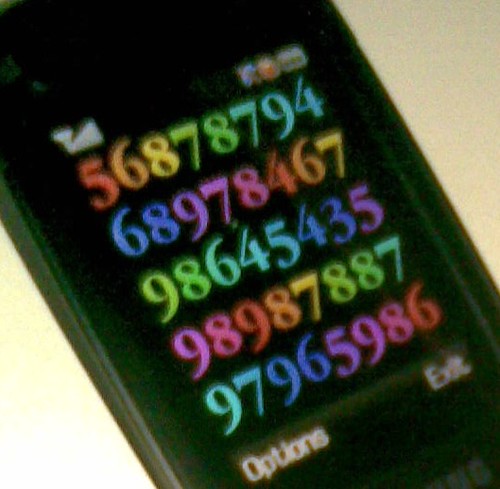
A tip for storing numbers: hotel room, taxi order etc.
When ordering a taxi, the operator gives me a number (usually three digits) so that know which taxi is for me. It's essential information but needed only for max 10-15 minutes. As I have a bad memory, I make a call to that number and immediately hang-up. This way, the number is available in my made calls should I need it. No need for pen and paper. Works also for storing hotel room numbers etc. Any other tips for doing this?
I never found the need to use this since I can easily access the notes app. But this method is possibly the simplest and fastest way to store adhoc numbers on almost any phone.
Alternatively, you can use the camera like the guy in this ad to break the language barrier.
From a tip at SPUG forums, Expansys is selling the Nokia 770 Internet Tablet at an attractive price of S$199.22 (~US$130). I reckon Nokia is clearing our their inventory of this product hence the low price. Also Nokia has apparently dropped support for this product since the introduction of the much improved Nokia 800 that supersedes the 770.
The Nokia 770 is a decent Linux based device for mobile internet surfing especially if you are in a Wifi hotspot. This device has been on the market for quite awhile so there's already quite a substantial user base for support and hacks on the internet to enhance its capabilities. The main issue I find is that 770 only accepts the less ubiquitous RS-MMS card which might be a bit harder to find and cost more than the usual SD cards.
Nonetheless it is still a good deal at S$200 if you like something affordable with a good looking screen to surf the Net when on the move.


 Posts
Posts