Tag Cloud

Showing posts with label mobile. Show all posts

Sunday, January 09, 2022

Getting into Recovery mode for Nexus 5

  1. Hold Power button + Volume DOWN button to boot into the Bootloader
  2. Press any volume buttons until "Recovery" is shown and press the Power button. 
  3. Phone will reboot and show an Android with the exclamation point appearing above the stomach shows with "No Command" below.
  4. While holding the Power button, press once on the Volume UP button and it will go into Recovery mode.

Sunday, May 18, 2014

Get free apps from Amazon Appstore for non-US users

I won't get into the details. Generally other then an Amazon account, you need two key items:

  1. Access to a US VPN.
  2. Amazon One-click set to a US postal address.
You can only purchase through the PC browser then download the apps through the Amazon Appstore app. I have not tried VPN on a mobile device but it may work.

That's really all there is to get free apps from Amazon Appstore. This should also work for Kindle and MP3 store. 

Warning: Try not to use your main Amazon account if the US address is not yours.

Tuesday, June 26, 2012

Change CSC (Consumer Software Customisation Code)

To find your CSC code, go to the dial pad and type in:
*#1234#
PDA - build version of the firmware
Phone - the baseband/modem version
CSC - specific to geographical region and carriers. It contains the software packages specific to that region, carrier branding and also APN settings for data connection, MMS etc for your service provider.
Build Info - the time and date of the build you are running.

How to change CSC on Samsung Galaxy S2?

1. Get IMEI number with *#06#. Write it down.
2. Type *#272*# at Phone dial pad.
3. Select the CSC that you want.
4. Click Install.
5. Phone will reboot.

Thursday, May 17, 2012

Singtel admits their mobile broadband speed sucks

SingTel admits its wireless is slow, vows changes

SINGAPORE | Thu May 10, 2012 6:21am EDT

(Reuters) - Singapore Telecommunications Ltd, Southeast Asia's biggest telecoms firm, on Thursday acknowledged mobile Internet speeds in the city-state are slow and said it is introducing plans that offer more reliable connections.

And their solution is to downgrade all new and recontract customers from the previous 12GB plans to new 2GB plans! Best moneygrabbing move ever, no need upgrade your hardware and charge customers more money for less service.

Monday, October 17, 2011

Howto add alternative keyboard to rooted Nook Color

We shall install Gingerbread Keyboard for this example. This is especially for those using Manualnooter from xda-developers but should apply to any replacement ROM.
1. Download Gingerbread Keyboard apk.
2. Install File Expert from Android Market.
3. Run ES File Explorer, a free app.
3a. Enable "Root Explorer" and "Mount File System" in Settings.
3b. Copy apk to \data\app (Use copy and paste icons from "Oper" in bottom toolbar)
3c. Copy apk to \system\app (Use copy and paste icons from "Oper" in bottom toolbar)
4. Restart / Off and On Nook Color
5. Run NookColor Tools and Choose Keyboard. The keyboard should be there.
5a. If keyboard doesn't show up, run the keyboard apk from file explorer.

Monday, June 14, 2010

From Symbian to Windows Mobile to Android

I have switched from Symbian (Nokia 6120) to Windows Mobile (HTC Touch2) in December 2009 and now using the Android based Motorola Milestone since April 2010. I am happy to say this is by far the best smartphone I've used. Hence this blog will be geared more towards the Android platform. Symbian is already old and busted while Windows Mobile is rubbish. Hopefully the soon to come Symbian/Meego or whachamacallit and Windows Mobile 7 will come up with something new and exciting. For now Android is the platform to go to. And the iPhone/iOS? You got to be kidding me.

Saturday, March 21, 2009

Youtube goes native for S60

Youtube has released a new Youtube app which is now a native S60 app and is 90% faster than its previous Java version. Use your phone and download from http://m.youtube.com. You may also download the SIS file from here.

Read more [Youtube blog]

I have tried it out and it is really much faster at streaming Youtube video on a S60 device with this new app than before. The menus are very responsive and not sluggish like the previous Java version. However I still prefer emTube which unfortunately has been broken due to Youtube site changes and the developer has been MIA.

Friday, November 28, 2008

Opera Mini 4.2 released

Opera Mini 4.2 is out of beta and released with new features such skin, improved speed and notes. Update your Opera mini today. www.operamini.com

Wednesday, November 12, 2008

Opera Mini 4.2 beta released

Opera has released the next version of its popular free mobile browser, Opera Mini version 4.2. New features include skins, faster proxy server, video support and notes.

Download it from http://www.operamini.com/beta/

Friday, October 24, 2008

Gmail 2.0

The Gmail mobile client now has support for easy access to multiple accounts and offline email composition. Also other improvements you can read here: Gmail blog: Gmail for mobile: faster, smoother, and now in more languages

Point your phone's browser to m.google.com/mail to download.

Thursday, October 02, 2008

Sony Ericsson Xperia's "Who is Johnny X?"

Sony Ericsson has created a viral ad campaign with an episodic movie to promote its upcoming Xperia X1 mobile phone.

Watch the video at www.whoisjohnny-x.com. or find out more about the Xperia X1.

Saturday, July 05, 2008

Singapore street map in your pocket

Street map services seem to be the rage these days and ever since Virtual Maps (owners of streetdirectory.com) got burnt by SLA (Singapore Land Authority) in the courts, a number of map services have surfaced. Even SLA launched its own free online map service.

Now SLA makes their maps mobile by partnering with Mapking to release a free Singapore street map for Windows Mobile devices.

SLA StreetMap Mobile
Singapore Land Authority (SLA) and MapKing (Singapore) Pte Ltd have jointly launched a mobile version of the online StreetMap@Singapore, named SLA StreetMap Mobile. It can be downloaded for free onto mobile devices running on Windows Mobile OS and can now be viewed on PDAs and PDA phones.

However it lacks features such as routing navigation and GPS support. I suppose that will be in a pay version marketed by Mapking.

Friday, June 27, 2008

Symbian does an Android

Nokia recently announced its offer to acquire the shares of Symbian from its partners. Nokia intends to consolidate the various iterations of Symbian, namely S60, UIQ and MOAP, into one single platform under a newly established Symbian Foundation and to open source Symbian in the next 2 years.

This is not too dissimilar to Google's Android initiative which many would view as the reason for Nokia's bold direction. The rise of open source Linux on smartphone devices like Android poses a serious challenge down the road.

As a major shareholder of Symbian, Nokia has all this while been the main purveyor of Symbian OS even though it started out as a partnership with a few other well-known mobile phone manufacturers such as Sony Ericsson and Motorola. Symbian has made little impact in terms of being a smartphone OS brand unlike RIM, Windows Mobile and iPhone which dominate the enterprise space; Symbian is generally treated as a mainstream proprietary OS for low to mid range phones with little to no emphasis on smartphone features. By making this strategic move, Nokia will prevent Symbian from becoming obsolete and evolve into an accessible platform for all mobile device manufacturers to incorporate into their hardware.

Oh, and also Happy 10th Birthday to Symbian.

Thursday, June 12, 2008

Firefox Mobile browser Concept UI

The Mozilla Labs team working on the Firefox Mobile browser has released a video introducing an interesting concept UI that uses a desktop type space to create and arrange webpage tabs for a touch interface device.


Firefox Mobile Concept Video

I like how the page view is presented without any UI object clutter like toolbars or scrollbars while viewing the content. This is very important on a small screen devices where every bit of space is precious. The navigation functions like forward and back buttons can be easily called up by moving over to the left edge. The way you can "throw" the page by flicking it to any of the edges of the page to return to the main desktop view is quite clever.

Read more about it here and even download the mock-up to test it out in your desktop browser. Test drive it here in your browser.

Wednesday, April 09, 2008

A tip for storing numbers

This is a neat yet obvious tip over at S60.com that's possible on any phone that records dialed numbers.

A tip for storing numbers: hotel room, taxi order etc. When ordering a taxi, the operator gives me a number (usually three digits) so that know which taxi is for me. It's essential information but needed only for max 10-15 minutes. As I have a bad memory, I make a call to that number and immediately hang-up. This way, the number is available in my made calls should I need it. No need for pen and paper. Works also for storing hotel room numbers etc. Any other tips for doing this?

I never found the need to use this since I can easily access the notes app. But this method is possibly the simplest and fastest way to store adhoc numbers on almost any phone.

Alternatively, you can use the camera like the guy in this ad to break the language barrier.

Friday, April 04, 2008

Opera Mini on your PC

There's a guide over at Opera community on how to run Opera Mini on your PC.

For those with slow connections this might make surfing the Web a whole new experience.

Imagine you're in a place where you can only connect to a 56k connection (or worse), but you really need to check out some stuff on the Internet... Well, one option is to use Opera Mini on your mobile phone, but it might be a hassle since text input can be a pain (and you're in a hurry), so what do you do?

This is similar to the Opera Mini Simulator on the Opera Mini website except that you run the Java app directly from a program window instead of using the web browser. This allows you to try out the latest Opera Mini 4.1. You can also use it to test out your wehpages formatted for mobile viewing.

Thursday, March 27, 2008

Motorola /2

Motorola announces that the company will split into two separate companies.

Motorola Commences Process to Create Two Independent, Industry-Leading Companies Separate Publicly-Traded Mobile Devices Business and Broadband & Mobility Solutions Business Anticipated Company to Host Conference Call Today at 8:30 am ET SCHAUMBURG, IL – March 26, 2008 – Motorola, Inc. (NYSE: MOT) today announced that the Company’s Board of Directors has commenced a process to create two independent, publicly-traded companies. Today’s decision follows the Company’s January 31, 2008 announced evaluation of the structural and strategic realignment of its businesses and represents affirmative steps to position its Mobile Devices and Broadband & Mobility Solutions businesses for success, while creating value for all Motorola shareholders.
Full Press Release

Wednesday, January 02, 2008

Freeware for Symbian S60 3rd Ed

Being spoilt for choice with thousands of apps available for the Palm OS platform, its quite a chore to find equally fascinating titles on the Symbian S60 platform. I am a cheapskate who prefers not to spend a dime on software and especially not on a "throwaway" device like a phone. So it was quite frustrating in the beginning when I didn't know what exactly is available and wasted a lot of time searching the web.

After taking a while to become accustomed with my Nokia 6120 Classic and testing a wide selection of free programs, I've decided to make this list which I hope can serve as a starting point for new users of a S60 smartphone device. All the apps listed are legal freeware and native S60 apps. I have personally tried out each one and most have a permanent place in my phone. I have also included it with links so you can easily download the programs and even discover other apps on the respective sites.

Nokia software
Nokia has its own Symbian apps which may not be included on their phones.

Nokia Maps
Free vector maps on your phone with satnav capabilities using GPS. It works well even without GPS.

Nokia Search
Search your phone for almost anything using any keyword.

Nokia Energy Profiler
This program is meant for software development purposes but it can be useful to see if you have any rogue power hungry app installed.

Nokia Beta Lab
Nokia has its own beta lab where it lets users try out some apps they are developing for its phones.

Nokia Device Status
A self-diagnosis tool that allows you to collect detailed system information both from your PC and your S60 device. Your device configuration and phone settings are presented in a neat detailed summary. Available as PC and phone versions.

Nokia Audiobooks
Carry your audiobooks while on the go. The package includes a highly efficient audio compression technology optimized for voice (AMR-WB), a player application for S60 (Nokia Audiobook Player), and an audio converter tool for PC (Nokia Audiobook Manager). Whereas traditional music player applications are optimized for music, Nokia Audiobook Player is optimized for audiobooks, enabling you to browse chapters, set bookmarks, and automatically continue from where you last time stopped listening.

Wellness Diary
Monitor and track a range of everyday well-being parameters, including weight, eating habits, exercise, blood pressure and others. Works as a health journal for you to take an active role in the daily and/or long-term management of your health.
This is not really useful to me since I am not a very fitness conscious person. :P

Conversation
Enables grouping of messages in a threaded messaging view. I find that it doesn't display the sender names for SMSes received that have the country code prefix.

Third Party Freeware

Multimedia

Divxplayer
Playback your DivX or Xvid videos. This is however a limited time version. It has decent playback but still not as polished as Coreplayer. A signup is required at Divx site before you can download but you may be able to find the file hosted elsewhere.

emTube
Stream and save Youtube video or play your Flash video (.flv) files stored on your phone. The playback of stored flv video is very smooth and can only get better as the author has been actively improving this app. Now you can watch any lame Youtube video over and over while on that dull commute.

Mobitubia

Like emtube that can stream and playback Youtube videos but with nice eyecandy UI like a revolving menu. I prefer emtube to this since I like a simpler no-frills menu and I am not forced to turn my phone sideways just to use the menu. Some N95 users might prefer this though.

Phone tools

Call Filter or CallFilter
Filter your calls with blacklist or whitelists. There happens to be two apps with the same name. The first one you can get free from S60.com after you sign-up and the other one. I have yet to test both out but the former looks a bit more polished and does not have ugly icons.

FreeCaller
FreeCaller is an open source symbian application that displays a full screen caller photo on incoming calls. The screen displays a pre-attached full scale photo of the caller, its name and phone number.

Kaywa reader
Read those mobile barcodes with this app. It supports decoding and showing the text directly on the screen without connecting to the Net. This is one of the better readers since it can decode QR codes.

Screenshot
Capture screenshots of your phone. This app supports hotkey activation with the "C" or camera button so works well on my 6120c.

SaySMS
Send Flash SMS, an SMS message that pops up on your recipient's phone immediately. It is good for that one off blasts to a friend. It lacks integration with the built-in SMS app and loads with the word "Hi," which is quite annoying since you'll need to clear it every time you don't want to start out with that salutation.

SMS Export
Export your SMS to text files on your phone. Good for creating backups if you hate to sync with Nokia PC Suite.

Theme Scheduler and Profile Scheduler
From the developer of the excellent free file manager Y-browser comes these two scheduler apps for theme and profiles. You can now change themes and profiles as often as you like automatically.

Total Patrol

Nokia left out the missed call/sms alert feature. Now you never have to miss another call/message with this app.

Programming
Python for S60

Develop programs with the efficient Python programming language. This is an excellent rapid application development environment to create working apps with little effort.

Ebooks

BibleReader
I am not a religious fanatic but its nice to see a Bible on a phone. As usual, the more mainstream Bible versions like NIV and NKJV are not free but there are free ones available.

Biblereader screenshotMobipocket screenshotPydict screenshot
Biblereader, Mobipocket & Pydict


Mobipocket Reader and Qreader
Mobipocker reader is an elegant ebook reader and has better support especially ebooks purchased from its site. But Qreader offers more configurable options and find features. Install and use both if in doubt.

PyDict
A dictionary running on Python for S60. So far free dictionaries on the S60 are quite hard to find.

Internet

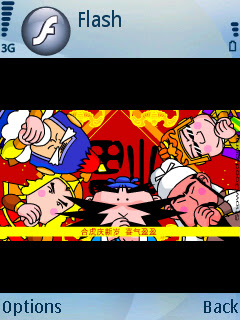
Flash Lite 3
This version is a beta release. I hardly use it since I have no need for Flash apps. However I find this is very neat as Palm OS doesn't even have that capability.

GnuBox
GnuBox is useful if you don't have unlimited 3G/GPRS or a free Wifi enabled phone but want to surf the web via BT to your PC's internet connect sharing. The setup is quite a challenge but worthwhile once it works.

Gnubox screenshotFlash Lite 3 screenshot
Gnubox & Flash Lite 3


Tools and Utilities

cClock
Display a nice big clock when your phone goes into screensaver or powersaver mode. Very configurable and low power footprint. I never wear a watch; this is my watch.

cCalc
Add a bit more calculation function with this simple scientific calculator with basic programmable conversion functions. Now you can log and root your digits.

cCam
Some Nokia phones do not allow you to shut off the shutter sound for the camera for discrete photo taking. This camera app allows you to do that.

Calcium
A calculator with a gorgeous UI with simple and easy input. It is similar to the calculator found in Motorola phones where the four main operators are entered with the D-pad. If you need to perform fast calculations without a running list like the default Nokia calculator, you will love this.

Active notes
Create notes and embed objects like photos, audio and videos.

Y-Browser plus all plugins
This is by far the best explorer app to manage your files on your phone.

Games

Frozen Bubble
A Puzzle Bubble clone. 100 levels of gameplay. Its a great time waster and is quite easy to complete.


Snakes

An old Nokia classic game revamped in gorgeous 3D gameplay. Hours of fun to complete 42 puzzle levels in great music and sound.

The Snakes is a whole new level based world of gameplay, containing over 40 stages of complex mazes with colorful and brilliant 3D graphics, not to mention the impressive gameplay generated soundscapes. Quick reflexes are needed in making those sharp turns and collecting scattered power-ups, shields, teleporters, and other specialities.
Final notes

This is a non exhaustive list of freeware I have found. I may omit and include more apps in future as I discover them. If you have any good freeware to share, do post a comment.

Wednesday, December 26, 2007

First outing with Nokia 6120 Classic and Symbian

I got a $0 Nokia 6120 Classic for half a month now and so far its the most fun I have had with a phone packed with so many features. Powered by the Symbian S60 3rd Edition OS, it is essentially a smartphone since it can perform communications as well as PIM (Personal Information Manager) capabilities. The phone's processor running just above 300Mhz is snappy and responsive, almost as good as running apps on Palm OS. Multitasking is as straightforward as leaving an app without properly exiting, ie. by pressing the menu button when running the app, and switching apps by triggering the tasklist by holding down the menu button.

The included apps that come with the phone don't do justice to such a powerful device as there are quite a number of S60 apps, both free and pay, found on the web. It took me quite a while and some help through forums to finally find some good sites for good starting points to find apps. I will cover this in a later post.

Generally most of the more functional apps are payware since Symbian has this draconian DRM-ish developer signing process to access its more security critical APIs. Simple stuff like themes and basic apps like calculator or games do not require this hence are mostly free. To work around this signing barrier and to release apps fast, independent developers would release their code unsigned and users need to acquire a developer cert from symbiansigned.com to sign the apps themselves, ie. the user has to become a developer. Although there are abundant guides on developer signing, this may still turn off the less persistent and adventurous users who hate to dabble with such complications. Fortunately this is not a common practice and so far only those very experimental apps such as rotateme and gnubox require this. Developers who want to release production freeware have the option to release it via the proper freeware channel.

I have been a Palm OS user for quite a long time and I am delighted to say that Symbian S60 OS is as robust and feature rich operating system especially for the mobile platform as Palm OS have always been. Up till now, I have not had any crashes that require any battery removal.

Backed by a strong companies like Nokia and Sony Ericsson, Symbian has matured into something that Palm Inc. failed to accomplish. With competition heating up with the smartphone platforms like Google's open platform Android, Apple's cool iPhone, Microsoft's ubiquitous Windows mobile and Palm's update to Palm Linux, it will be an interesting time to see improvements in smartphone platforms.

Sunday, August 19, 2007

How to install Java midlets on Samsung phone

I just got a Samsung D830 and was wondering why I could not install Java midlets. Its great that Howard Forums has the answer.

From Howard Forums:

1) Type in the code *#9998*52824678255# (which reads *#9998*JAVAINSTALL# )
2) Your phone should return with 'Activated'
3) Now using Bluetooth or USB cable, connect to your phone (IR probably works too)
4) If you have a game as .jar, but don't have a .jad file, use JadMaker to create one (draw the .jar file to it and it will generate a .jad file for you).
5) Copy the .jar AND .jad file of the game into the map called "Other Documents" on your phone.
6) Now on your phone under 'My Files' browse to the 'Other Documents' map and doubleclick on the just copied .jad file.
7) The phone will ask you if you want to Install the game.
8) After Install you will find the game under Games on your phone.
9) You can now remove the just copied .jar and .jad file again (they were only there to install the game onto your phone).

PS: If it doesn't work on your Samsung phone even if its same as mine, either you did it wrongly or its telco locked. All I know is it worked on mine and a few others